Blog · Rough cut and paper edit
How to make a rough cut from hours of interview footage
By Eran Strassburg · Updated 2026-10-10
The short answer
There are two ways to get a rough cut from an interview. By hand: transcribe, pull selects, order them on paper, then rebuild that order in the timeline. With a transcript-driven tool: import the interview, describe the piece, and get a playable first cut made of real source clips that you then correct. FirstCut is the second kind. A paid plan takes up to 10 hours of footage in one sequence, and the result exports to your editor.
The manual method, step by step
- Transcribe the interview with timecodes.
- Read it and mark the selects: the passages you might use.
- Copy the selects into a document and reorder them until they tell a story. This is the paper edit.
- Go back to the timeline, find each select by its timecode, and cut it into a sequence in the new order.
- Watch it, find what does not work, and repeat steps 3 and 4.
Where the manual method loses time
Steps 1 to 3 are thinking. Step 4 is transfer: you already know the order and you are rebuilding it by hand. And every change of mind sends you through step 4 again, so you become reluctant to try a different structure.
The transcript-driven method
A transcript-driven tool does the selection and the transfer together. It reads the transcript against what you asked for and returns a sequence of real clips, already in order and already playable.
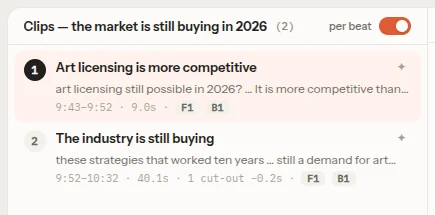
In FirstCut the steps are: link the files, optionally write a brief or pick a story shape and a length, and generate. The cut opens in the editor as beats and clips, and plays from your local video files.
What to check in an AI first pass
Treat the first cut as an assistant's draft and check it for the things a transcript reader gets wrong:
- Missing context: an answer that needs the question, or a "that" whose subject was cut.
- A cut in the middle of a thought, where the sentence is complete on paper and unfinished in delivery.
- Repeated takes: the same point made twice in different words.
- A line that reads well and was said badly. The tool cannot hear tone or see a face.
In FirstCut you fix these by deleting or moving a clip, moving a clip's edge, cutting words in the clip transcript, or giving one beat or clip its own instruction.
Limits you should know before starting
| Limit | Value |
|---|---|
| One file | Up to 2 hours |
| One sequence, no account | Up to 30 minutes of footage |
| One sequence, Free plan | Up to 1 hour of footage |
| One sequence, paid plan | Up to 10 hours of footage |
| Longest cut you can ask for, from more than 2 hours of footage | 60 minutes |
The length you ask for is a target. The cut that comes back can run shorter or longer, and you can ask the assistant to bring it closer.
Next step: export
When the story holds, export a timeline and finish in your editor. The file contains no video, only the clip list with source timecodes. See which timeline format to use.
Questions
Can it handle a multi-day shoot?
A paid plan takes up to 10 hours of footage in one sequence. For separate interviews, one sequence per interview is often clearer, and you join them in your editor.
Is the first cut final?
No. It is a starting point you edit by hand or by instruction.
Does it invent lines?
No. Every clip is a span of your own footage with real in and out timecodes.
Related guides
- A paper edit that stays connected to the footage
- How to find the story in your interview footage
- AI for documentary rough cuts: what it can and cannot do
- Paper edit an interview with FirstCut
Try it on your own footage
FirstCut is free to try with no install and no credit card. Start a rough cut → · Or open the live demo, which needs no account.