Blog · Rough cut and paper edit
Is there an AI tool for documentary rough cuts?
By Eran Strassburg · Updated 2026-10-10
The short answer
Yes, with a clear limit. AI is useful on the part of a documentary that lives in what people say: reading interview transcripts, proposing a structure and pulling the clips for it. It does not see the picture, judge a performance or choose B-roll. FirstCut works that way. It reads the transcript, builds a narrative first cut from your own footage, and never generates images, video or audio.
The part of a documentary that is text
An interview-led documentary has two layers. One is what people say: the argument, the chronology, the admissions. The other is everything else: faces, places, archive, silence, music. The first layer can be read. The second has to be watched.
Most of the early structural work happens in the first layer, which is why editors have always made paper edits from transcripts.
What a language model is good at here
- Reading all of the transcript at once and holding it in view.
- Finding where a subject makes the same point twice, and where the clearest version is.
- Proposing an order: which statement sets up which.
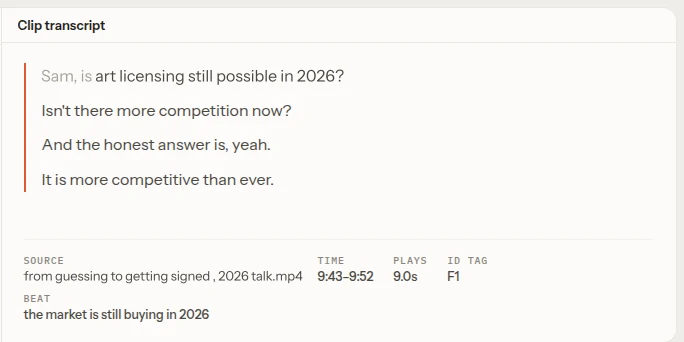
- Returning the proposal as exact spans of the source, so nothing has to be found again.
What it misses
- Silence. A long pause before an answer can be the best moment in the film, and in a transcript it is nothing.
- Faces and delivery. Two takes with the same words are identical on paper.
- Picture. It does not know what is in frame, so it cannot choose B-roll or cutaways.
- Taste and ethics. What is fair to a subject is the editor's call.
Keeping the editor in charge
The useful question about any AI tool is what you can undo. In FirstCut every choice the model made is a clip you can move, shorten, delete or restore. Deleting is reversible. Every version is kept as a revision. A note can be attached to one beat or one clip, so a correction lands where you meant it.
The model selects and orders. It does not write lines, and it cannot add footage that is not in your files.
Privacy for unreleased material
With FirstCut the video file never leaves your computer. The browser extracts the audio track and uploads that for transcription. The speech-to-text provider receives the audio, and the language model receives transcript text only. The details are in how FirstCut edits your video without uploading it.
A realistic workflow
- Import one interview, or the interviews for one strand of the film.
- Generate a first structure and watch it.
- Try a second structure as a new revision and compare.
- Correct what a transcript reader could not know: restore a pause, swap a take, drop a line that plays badly.
- Export a timeline and continue in your editor, where picture and sound are decided.
Questions
Does the footage leave my machine?
The audio is uploaded for transcription. The video is not.
Will it invent lines?
No. Every clip is a span of your source with real timecodes.
Can it work with archive or vérité footage?
Only where there is speech to transcribe. Footage without dialogue gives it nothing to read.
Related guides
- How to make a rough cut from interview footage, by hand and with AI
- How FirstCut edits your video without uploading it
- How to try different story structures on the same footage
- Paper edit an interview with FirstCut
Try it on your own footage
FirstCut is free to try with no install and no credit card. Start a rough cut → · Or open the live demo, which needs no account.