How to explore different story structures from the same footage
By Eran Strassburg · Updated 2026-10-10
The short answer
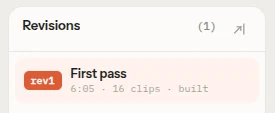
The same footage usually holds more than one story, and the cheapest time to compare them is before the fine cut. Build one structure, save it, then build a second with a different opening and order, and watch both. In FirstCut you pick a new story shape for the same footage and get it as a new revision, with every earlier version kept so you can go back.
Three structures worth trying on any interview
| Structure | Order | Works when |
|---|---|---|
| Chronological | What happened, in the order it happened | The events are the story and the viewer needs the sequence |
| Problem, fix, proof | The pain, why the usual answer fails, the fix, the result | The piece has to persuade or teach |
| Open on the strongest moment | The best line first, then how we got there | Attention in the first seconds matters most |
FirstCut offers these and others as story shapes: six plain directions such as Story, Highlights, Explainer and Recap, and thirteen beat-sheet templates such as The Turnaround, Problem → Fix → Proof, Curiosity Loop and Myth vs Reality.
What changes and what stays between structures
The footage and its transcript stay the same. What changes is which moments are chosen, how they are grouped into beats, and the order. Two structures often share most of their clips, and the difference is where the piece starts and what it holds back.
Compare by watching, not by reading
An outline can look right and play wrong. A line that reads as a strong opening may need the context that came before it. Watch each version from the top, at speed, and note where your attention drops.
In FirstCut every version plays in the browser from your local video files, so comparing two structures means opening two revisions.
When to stop exploring
Two or three structures are usually enough to see which one the footage supports. Stop when a new version only rearranges the same clips without changing what the piece says. Then pick one and move to the detail.
How revisions work in FirstCut
- Asking for a new story arc keeps your footage and builds a different structure as a new revision.
- Every revision is kept. Opening an older one shows that cut exactly as it was.
- Restoring an older revision makes a new revision from it. Nothing is overwritten.
- A sequence remembers the brief each structure was built from.
Questions
Does a new structure overwrite my edit?
No. It is a new revision, and the earlier ones stay available.
Does each new structure cost something?
Yes, one AI cut. Manual edits, saving and pace changes are free.
Can I mix two structures?
Not automatically. Pick the closer one, then move beats and clips by hand or describe the change to the AI assistant.
Related guides
- How to organize interview footage by story beats
- Assembly, rough cut, fine cut: what each stage is for
- How to find the story in your interview footage
- Try the editor on sample footage
Try it on your own footage
FirstCut is free to try with no install and no credit card. Start a rough cut → · Or open the live demo, which needs no account.